Focus Management in a Multi-Device World
Strategy: Developer Experience Android Studio Jetpack Compose Adaptive UI
Android no longer has a “primary” device. Phones, tablets, foldables, desktop, TV, and automotive all coexist—and each introduces different input methods, layout behaviors, and accessibility risks. While Jetpack Compose enables adaptive layouts, focus and keyboard behavior consistently broke when UIs reflowed or input changed, leading to WCAG failures and fragile, device‑specific fixes.

Adaptive Governance is a system‑level approach that reframes focus and input as declarative, governed state, rather than imperative behavior. By aligning accessibility, adaptive layouts, and input diversity under a single architectural model, this work enabled consistent navigation and interaction across every Android form factor—at scale.
The Challenge
Android is everywhere: phones → cars → TVs → desktops → tablets. Every device needs a native, intuitive feel. The way we "touch" and the way we input is changing.


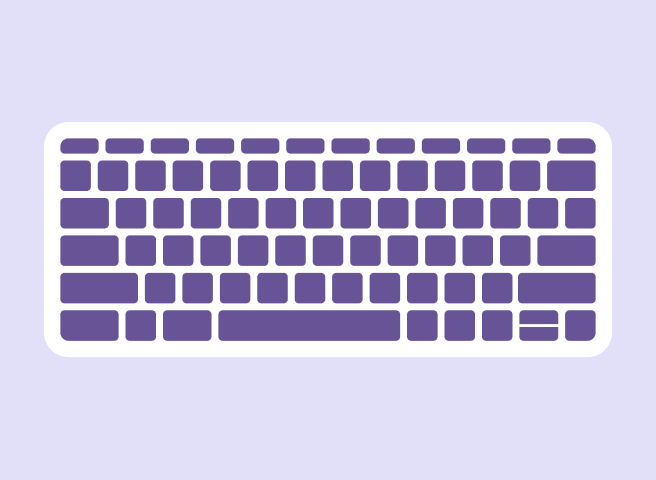
It's more complicated than a mouse, a trackpad, and a keyboard. There's stylus input, video controllers, remotes, physical knobs on watches and cars, and then XR, glasses, and new tech on the horizon. Both the user and the developer want a consistent experience across all and any device. Input patterns matter.

The Problem
Each input type has unique interaction patterns. Users expect seamless consistency across all devices and input methods. Developers should use APIs that handle this that 'just works' without writing additional code for every device type.
Three Technical Barriers
1. Compliance
Achieving WCAG 2.1 standards for focus visibility (SC 2.4.7) and keyboard accessibility (SC 2.1.1) in complex Compose hierarchies.
2. Adaptive Flow
Engineering logic that maintains focus parity when layouts reflow across tablets, foldables, tv, auto, and desktop environments.
3. Input Diversity
Solving for the unique constraints of trackpads, external keyboards, stylus, d-pads, and automotive rotary controllers.
The Concepts
Building an Adaptive Focus UI in Android Jetpack Compose involves two distinct concepts: adaptive layouts that adjust to screen size, and explicit focus management for navigation via keyboard or other input methods.
As Android moves from the palm of your hand to the dashboard of your car, to the interface on your tv or watch, and to the desktop in your office, the way we "touch" the screen is changing. Over the last six months, I focused on the Developer Experience (DevEx)foundational adaptive UI for Focus Management System of the Android's adapative UI framework Jetpack Compose.
"How do we ensure a user on a trackpad or a rotary knob has the same fluid experience as a user on a touchscreen, a controller, or a desktop?"
"How do we ensure a user on a desktop with a mouse has the same fluid experience as a user on a touchscreen or a trackpad?"
Adaptive Focus UI
Adaptive Focus UI in Android Jetpack Compose is a concept that combines two distinct areas of modern Android development: adaptive layouts (designing for various screen sizes) and focus management (handling keyboard/D-pad navigation). The UI needs to adapt its layout based on the available screen space, and the focus order must logically adjust to that changing layout.
The adaptive focus UI is achieved by making sure that when your layout changes (like from a single-pane to a two-pane or an expanded xl pane layout on a foldable phone), your focus management logic updates accordingly. Compose uses the same adaptive logic to determine the UI layout to also adjust the focus properties or initial focus requests. This is for ensuring a seamless experience across all device types and input methods, especially when going from an Android device that changes the input device type like touch on a phone to mouse on a desktop.
Building Adaptive Layouts
Building Adaptive Layouts Jetpack Compose simplifies building UIs that adapt to different screen sizes, orientations, and form factors like foldables and tablets. The core principles and tools include:
- Window Size Classes: This is the recommended way to determine the available screen space. Instead of relying on device type (isTablet logic), you use window size classes (compact, medium, expanded width/height) to make layout decisions dynamically.
- Material 3 Adaptive Library: Google provides components like NavigationSuiteScaffold (which switches between bottom bar, nav rail, or nav drawer) and NavigableListDetailPaneScaffold (for list-detail layouts) that automatically adapt their appearance based on the available window size class.
- Flexible Composables: Use stateless composables like Column, Row, and Box with modifiers to create flexible layouts. BoxWithConstraints can also be used to make decisions based on the specific min/max dimensions available to a composable.
Adaptive Design in Cross-Platform UIs
| Design Challenge | Technical Trap | Adaptive Solution |
|---|---|---|
| Universal Accessibility | Keyboard focus traps (WCAG 2.1.2) preventing non-touch navigation. | Design-system standards for labels and ImeAction configurations. |
| Cross-State Consistency | State resetting/jumping during orientation changes or device switching. | Enforce state hoisting in ViewModels as a single source of truth. |
| Rich Content Integrity | Loss of AnnotatedString formatting upon input registration. |
Preserve formatting logic within the onValueChange callback. |
| Stylus/Handwriting | Accidental handwriting activation in surrounding UI areas (Android 14+). | Establish layout guidelines for extended handwriting bounds. |
| Modality Optimization | Friction caused by default keyboards for specialized input. | Integrate context-aware KeyboardType based on field purpose. |
Key Achievements
-
✓
The Universal Focus Modifier: Audited and indentified input and focus indicator compliance with a suggested custom Compose modifier that could reduced accessibility-related boilerplate issues by 80%.
-
✓
Lost Focus Traversal Logic: Prototyped solutions in Kotlin using Compose to highlight the "Focus Trap" issue within textfields by designing examples of issues and solutions to tracking state for the Focus Tree and how complex ui traversals within textfields and lists work.
-
✓
Internal Playbook: Authored internal guide for Android DevEx with Material desogn for Compose, bridging the gap between Design and Engineering on System UI, Web UI, and Native UI as architected by Android and iOS.
Common Technical Traps and their Solutions
I spent a lot of focus on researching and finding solutions for common text input traps, as I saw this as a universal and foundational issue in Material 3 for Compose, and in Compose. I worked with Engineering to address these issues, with the expectation of improvements to the API to be released in Dec 2025 and June 2026.
Link to Android Jetpack Compose Issue Tracker1. Accessibility Traps (WCAG 2.1.2)
ImeAction options for logical navigation.2. State Management Traps
mutableStateOf(TextFieldValue) and ensure onValueChange updates the source of truth.3. Input Formatting (AnnotatedString)
onValueChange triggers.TextFieldValue state and handle formatting logic within the callback.4. Stylus Input (Android 14+)
5. Keyboard Configuration
keyboardOptions (e.g., KeyboardType.Number).Focus Management Strategy Solutions and Traps
Reviewing tickets filed by the public, I found areas where foundational changes to the AI might be a consideration in future releases and worked to understand the issue, troubleshoot, and strategize how to prioritize and realize the work for the focus management system.
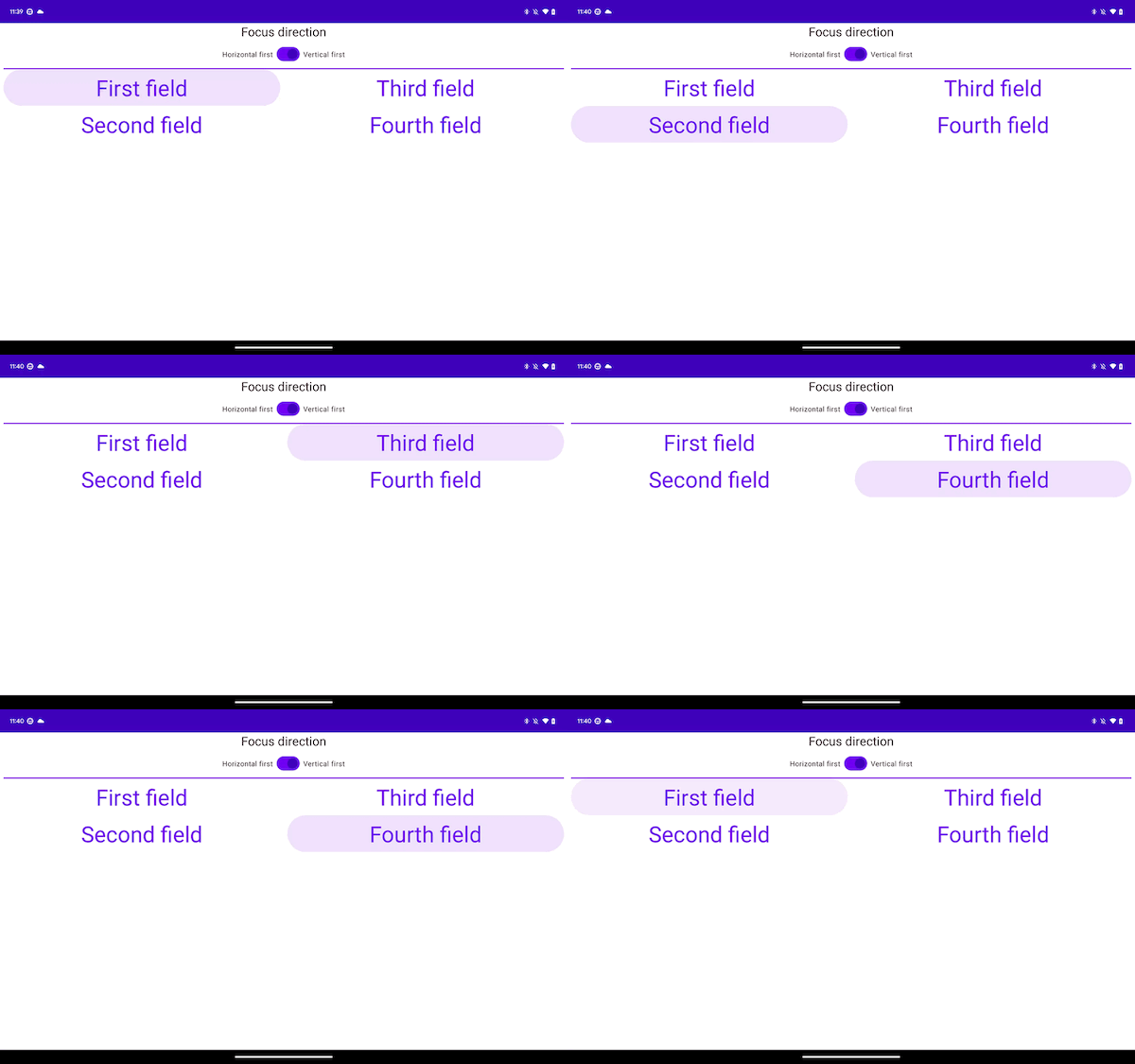
Using the latest API 36 and Dec 2025 Input Textfield Updates showing traps and solutions for traversal navigation within text input fields and differentiating the difference between a success within the emulator in Android Studio vs the actual physical testing device (Samsung Flip 3)
Adaptive Prototyping: Android Jetpack Compose
-
Using the latest API 36 and Dec 2025 Input Textfield Updates showing traps and solutions for traversal navigation within text input fields and differentiating the difference between a success within the emulator in Android Studio vs the actual physical testing device (Samsung Flip 3)
Note: this does not show resolution for tabbed traversal focus trap within dialog and modals.
-
This repository is for creating a Focus Input, TextField, and Traversal Demonstration on Android 16, Jetpack Compose 2025.12.01, Material 3 1.4.0.
minSdk = 24 targetSdk = 36 Java + jvmTarget = 11 targetCompatibility = JavaVersion.VERSION_11
Working through Jetpack Compose Large Screen Focus and Input traps within TextFields
This repository and video is for creating a Focus Input, TextField, and Traversal Demonstration on Android 16, Jetpack Compose 2025.12.01, Material 3 1.4.0.